Showing posts with label Security. Show all posts
Top Hollywood Movies On Hacking
Hacking is an art for some, for some it’s fun and for some it’s serious-tech stuff. For many people, hacking small Email account is hacking and for some taking down a nation a hacking. For me, it’s knowledge and it’s safeguarding yourself from potential intruders. Normally, hacking is social engineering and if you are landed here to watch some awesome movies on Hacking, you must be aware of what social engineering is. Anyways, The movie listed below doesn’t teach you how to hack, but these movies are good enough to inspire/motivate you for hacking.
I don’t say, they all are the best one, but certainly they are the top in the hacking movies list and may be you can add some from your movie collection. This list is not in any particular order, and feel free to suggest and recommend more movies which inspired you for hacking.
Hacking movies every budding hacker should watch:
1. Hackers(1995) : Imdb

Hackers movie got a complete series and it names as Hackers1, hackers2 and so on. I will start with my favourite,”Hackers“. The main attraction of this movie is cyber-war between Acid Burn i.e Angelina Jolie and Zero Cool played by Jonny lee miller. Villain might look funny with his approach and this is something not for serious hacker. Movie got an average rating but this movie is worth watching.
If you want to know how hackers uses their social engineering skills to get sensitive details related to your hardware, this movie will not disappoint you.
2. Antitrust(2001) : Imdb
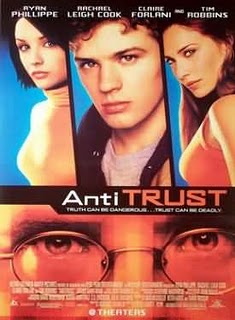
A computer programmer’s dream job at a hot Portland-based firm turns nightmarish when he discovers his boss has a secret and ruthless means of dispatching anti-trust problems.
3.The Net (1995) : Imdb

Identity theft is something which is not new to online world of Hacking. This movie is about Angela, a computer geek who lives a very low profile life. In this movie, her struggle of getting back her online identity is shown. Probably, an eye opener for many who think how is it possible to completely wipe off someone identity and create a new one.
4. Pirates of silicon valley(1999): Imdb :
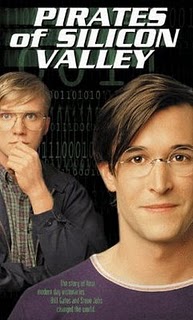
This is a documentary movie about the birth of desktop computing. A complete saga of 1970′s to 1997. This documentary narrates the real incident happened in this period between Microsoft (Bill Gates) and Steve jobs (Apple). Again, not a real movie on hacking but worth watching for everyone. After all, Hacking is all about spirit and knowing the basics and our basic is computer.
5. Takedown(2000) : Imdb :
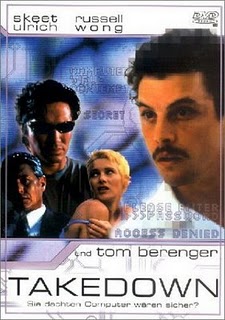
Kevin David Mitnick is at present working as an american computer security consultant. This movie is about his life and how a hacker turned down into country computer security counselor. Just to add more into the surprise, when Kevin was arrested for his cyber-crime, he was in the list of most wanted cyber criminal.
6. War Games(1983) :Imdb

An academy award winner movie which is about a young hacker who initiated a nuclear warhead by mistake, possibly a start of World war III. Somehow, I didn’t enjoyed watching this movie much but many of my friends liked it and recommended to be added in this list.
7. Swordfish(2001) : Imdb

Talking about Hacking how we can forget John Travolta’s Swordfish, which shows his intelligence and a master-plan to steal billions of dollar from U.S soil without getting caught.
8. Live free or die hard(2007): Imdb

9. The Matrix(1999) : Imdb :

This movie is about “Neo”, a computer hacker who learns from mysterious rebels about the true nature of his reality and his role in the war against the controllers of it. You might consider watching Matrix triology, as without watching sequel this movie is incomplete.
10. Untraceable(2008) :Imdb :

I saw this movie last week, and like the concept of the movie.The movie feature gorgeous, sexy, babealicious Diane Lane. The movie shows how a website www.killwithme.com which shows the live torturous killing of users become a hit, and the Diane ended up finding the killer.
11. Sneakers(1992) : Imdb

A group of computer hackers parleys their skills into a career, testing the security of computer systems by deliberately trying to break into them. They get entangled in a complex plot involving the National Security Agency and the Mafia.
12) The Social network (2010) : IMDB
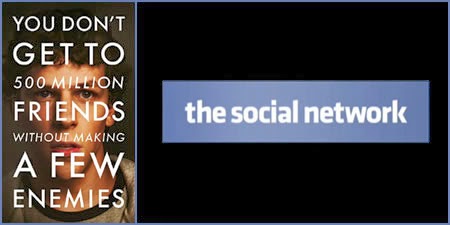
Needless to mention it’s not a Hacking movie but I’m sure talking about Hacking, you might want to know How Facebook come into existence and why there are so many controversies related to Facebook. Probably, you might change your perception about Mark Zyckerberg. It’s a complete story of how a Harvard student started a simple site to compare girls and how he landed with the idea of Facebook. A complete journey of Facebook which every geek should watch. Here is trailer of The Social network:
Do let me know which of these hacking movies you have already watched? Are you missing your favourite movie on Hacking here? Do let me know via comments. Don’t forget to share this list with your friends on Facebook and Google plus.
..............!!!
I don’t say, they all are the best one, but certainly they are the top in the hacking movies list and may be you can add some from your movie collection. This list is not in any particular order, and feel free to suggest and recommend more movies which inspired you for hacking.
Hacking movies every budding hacker should watch:
1. Hackers(1995) : Imdb
Hackers movie got a complete series and it names as Hackers1, hackers2 and so on. I will start with my favourite,”Hackers“. The main attraction of this movie is cyber-war between Acid Burn i.e Angelina Jolie and Zero Cool played by Jonny lee miller. Villain might look funny with his approach and this is something not for serious hacker. Movie got an average rating but this movie is worth watching.
If you want to know how hackers uses their social engineering skills to get sensitive details related to your hardware, this movie will not disappoint you.
2. Antitrust(2001) : Imdb
A computer programmer’s dream job at a hot Portland-based firm turns nightmarish when he discovers his boss has a secret and ruthless means of dispatching anti-trust problems.
3.The Net (1995) : Imdb
Identity theft is something which is not new to online world of Hacking. This movie is about Angela, a computer geek who lives a very low profile life. In this movie, her struggle of getting back her online identity is shown. Probably, an eye opener for many who think how is it possible to completely wipe off someone identity and create a new one.
4. Pirates of silicon valley(1999): Imdb :
This is a documentary movie about the birth of desktop computing. A complete saga of 1970′s to 1997. This documentary narrates the real incident happened in this period between Microsoft (Bill Gates) and Steve jobs (Apple). Again, not a real movie on hacking but worth watching for everyone. After all, Hacking is all about spirit and knowing the basics and our basic is computer.
5. Takedown(2000) : Imdb :
Kevin David Mitnick is at present working as an american computer security consultant. This movie is about his life and how a hacker turned down into country computer security counselor. Just to add more into the surprise, when Kevin was arrested for his cyber-crime, he was in the list of most wanted cyber criminal.
6. War Games(1983) :Imdb
An academy award winner movie which is about a young hacker who initiated a nuclear warhead by mistake, possibly a start of World war III. Somehow, I didn’t enjoyed watching this movie much but many of my friends liked it and recommended to be added in this list.
7. Swordfish(2001) : Imdb
Talking about Hacking how we can forget John Travolta’s Swordfish, which shows his intelligence and a master-plan to steal billions of dollar from U.S soil without getting caught.
8. Live free or die hard(2007): Imdb
This movie is about complete take down of a country by attack in grids. Here villain Gabriel, planned to take down last piece of data containing all financial transaction record for the country. This was a well planned attack and at one point you will be amazed to see the pattern of attack. Though, it’s more of a Bruce Willis action movie sequel but worth watching.
9. The Matrix(1999) : Imdb :
This movie is about “Neo”, a computer hacker who learns from mysterious rebels about the true nature of his reality and his role in the war against the controllers of it. You might consider watching Matrix triology, as without watching sequel this movie is incomplete.
10. Untraceable(2008) :Imdb :
I saw this movie last week, and like the concept of the movie.The movie feature gorgeous, sexy, babealicious Diane Lane. The movie shows how a website www.killwithme.com which shows the live torturous killing of users become a hit, and the Diane ended up finding the killer.
11. Sneakers(1992) : Imdb
A group of computer hackers parleys their skills into a career, testing the security of computer systems by deliberately trying to break into them. They get entangled in a complex plot involving the National Security Agency and the Mafia.
12) The Social network (2010) : IMDB
Needless to mention it’s not a Hacking movie but I’m sure talking about Hacking, you might want to know How Facebook come into existence and why there are so many controversies related to Facebook. Probably, you might change your perception about Mark Zyckerberg. It’s a complete story of how a Harvard student started a simple site to compare girls and how he landed with the idea of Facebook. A complete journey of Facebook which every geek should watch. Here is trailer of The Social network:
Do let me know which of these hacking movies you have already watched? Are you missing your favourite movie on Hacking here? Do let me know via comments. Don’t forget to share this list with your friends on Facebook and Google plus.
..............!!!
Tag :
Security,
Safe In Cloud - The Best Password Manager for Android, iOS and Windows


When it comes to password managers, LastPass pretty much seals the deal for most of us. That said, there are several other choices that keep popping up on the scene. One of them that I recently came across is Safe In Cloud for Windows and Android. The interesting bit about Safe In Cloud is that, unlike LastPass, it synchronizes your passwords to your own cloud storage and supports Dropbox, Google Drive, SkyDrive and Box.net. The application has a really clean interface, and does a wonderful job of safely storing passwords, notes, credit card numbers, email accounts and more. It keeps your all passwords in an encrypted database shielded by 256-bit AES encryption, making it quite safe and secure. What’s more, it can also import and export data between other password managers, and sports full browser integration with Firefox and Chrome.
.jpg)
After installation, Safe In Cloud brings up a configuration wizard allowing you to create a new database, as well as offering existing users to restore their passwords from the cloud. When creating a new database, the application will also ask you to set a new password, displaying its strength according to how secure it is.
20.jpg)

As mentioned earlier in the review, you can easily sync your data between your PCs and Android devices. The application makes use of Dropbox, Google Drive, Box or SkyDrive for the purpose. But first, you will need to authenticate your desired service from the Options window. You’ll have to sign in to your cloud storage and provide the appropriate permissions to get started. The Options window also allows specifying a few security parameters related to the app. For instance, you can set it to erase any clipboard items after a specified interval, and lock Safe In Cloud when it’s no longer running in a foreground window, requiring you to enter the master password again when you open it.

Safe In Cloud for Windows is available for free but if you want to use the service on Android as well, you’ll have to shell out $4.99 at Google Play for it.


The 10 Best Free Anti-Virus Programs
There are many free anti-virus programs on the market, and you want to sort the wheat from the chaff. Fair enough. Documented here are the 10 best antivirus programs on the market.
Microsoft Security Essentials

Released by Microsoft in late 2009, Microsoft Security Essentials sports more than a typically verbose Microsoft name: it’s also a really good antivirus. Lightweight enough to run on older machines without crippling their performance, yet competent enough to handle most viruses and malware out there.
Perhaps the best part of MSE is its simplicity. As you can see, the user interface is really clear, with large buttons for the most basic functions. This is important if you’re setting it up on a computer for someone who is not computer-savvy.
Finally, MSE is completely free – there’s no professional version you can upgrade to. In fact, it’s even permissible to use in business situations, meaning you can use it at work without breaking the law. This alone sets it above most of the other selections for the 10 best antivirus programs.
AVG Free
This one recently topped our Movers and Shakers list of the top downloaded free anti-virus programs. But just because AVG is popular doesn’t mean it’s not great.
AVG has become synonymous with free anti-virus, and there’s a reason for this: AVG offers complete malware protection, with considerably less bloat than the top pay-to-use antivirus clients. And while AVG Free does constantly remind you that you could pay for the professional version of the program, it does this without ever getting in the way of the program’s core purpose: protecting you from viruses.

Though when it comes to upgrading one version of AVG to another, you need to make sure you’re good at reading what’s on screen, because the free download is only available via a tiny link at the bottom of the screen””the site really wants you to get the paid version. When upgrading to version 9 recently, for example, check out how hidden the free download was:
Not exactly a big link, is it? Figure this minor inconvenience out, however, and AVG is a a really good free anti-virus. Download AVG.
Avira Free

In terms of simplicity, Avira’s right up there with MSE. It’s fairly lightweight, too, so the comparison is quite apt. While Avira does have a paid professional version to peddle, much like AVG, it’s not quite as aggressive as AVG in peddling it. I’d say Avira is solid and worth looking into for sure. Download Avira Free here.
Avast! Free
 If this competition were for the coolest name, the piratey Avast! would win hands down. Even though that’s not what we’re discussing, Avast! stands up pretty well. This is one of the top free anti-viruses on the market, and for good reason: it’s remarkably complete. Expect great all-around protection, including against trojans and spyware. You can also expect constant reminders that there’s a free version you can upgrade to, on your desktop and in your inbox. Still, the protection is solid.
Malwarebytes

Whatever your default anti-virus is, you need Malwarebytes too. This program doesn’t run in your system background and constantly protect you, but when you run into a problem running Malwarebytes will usually take care of what other programs can’t. I’ve saved more than a few unbootable systems by running Malwarebytes from safe mode. This program takes care of any form of malware you throw at it, so keep it around. In fact, I’d keep this one on your flash drive in case you ever need to fix a computer for a friend (and if you’re reading this blog, you probably will).
Combo Fix
Consider this the nuclear option. If you know you’ve got a virus, but your usual anti-virus program can’t handle it, and Malwarebytes can’t handle it, it’s time for ComboFix. This program isn’t friendly: it runs from a command window and is proud of it. And this is not a program you should use if you don’t know what you’re doing, because it can have devastating effects in the hands of the uneducated. But when all else fails, ComboFix delivers. Every geek should have this one on their keychain.
Clamwin

Clamwin is the Windows version of ClamAV, the main Linux anti-virus on the market. ClamWin is flawed in many ways: it simply scans instead of offering real-time protection, it doesn’t really do non-virus malware and it’s not exactly easy to use. Still, having ClamWin around doesn’t cost anything, and you can never have enough scanning tools in your arsenal.
Download ClamWin and see if you like it.
Panda Cloud AntiVirus

At first I thought the idea of a cloud-based antivirus was stupid, because it would only work while I’m online. Then it occurred to me: why the heck do I need an anti-virus when I’m offline?
As the name suggests, Panda Cloud Antivirus stores its virus definitions online. There’s an upside to this: your definitions are always up to date. There’s a downside, too, however: your anti-virus is constantly making use of your network connection.
I’d say this is a really good idea for underpowered PCs with constant access to the net. Like, say, a netbook. But if you’ve got a netbook you shouldn’t be using Windows anyway; switch to Jolicloud and you’ll have a functional netbook operating system immune to practically every virus.
Read a previously published article on Panda Cloud. Then download Panda Cloud Antivirus if you’re interested.
Comodo Firewall + Antivirus
Comodo is best known for its free firewall, but it also offers a bundled firewall and antivirus program. While the Comodo firewall isn’t the easiest to use, and the antivirus doesn’t include protection for non-virus forms of malware, this one’s worth mentioning if you’re looking for a free security suite which includes both a firewall and anti-virus protection.

Common Sense 2012
This one’s unusual in that it’s free and considered by far the best protection out there, yet can’t be downloaded anywhere. Without it, however, even the best security software is rendered useless.
If you haven’t already figured this out, Common Sense 2012 isn’t a product you can download so much as it is a state of mind. If you’re going to be free of viruses and malware you need to use your head while browsing the web. The most important thing to remember is this: if something sounds too good to be true, it probably is””and your computer will probably be compromised.
Free porn usually isn’t. Warez are best to be avoided altogether. Nigerians that need your help transferring money are never actually princes or princesses. You get the idea: avoid shady sites online and you’ll find you’ll get far less malware on your machine.
Conclusion
There are a lot of great free anti-virus programs out there, but what you use is mostly a matter of preference. Myself, I use Microsoft Security Essentials on my Windows machine because it’s free, lightweight and will never ask me for money. But I also make sure I always have Malwarebytes on my thumb drive for quickly removing viruses and malware from the computers of friends and family.
What about you? Which free anti-virus do you prefer? Commenting is good for you, so do so!
How to Know if Your Computer is Infected with a Virus

No one wants to own a computer infected with a nasty virus. That's why it's very important to practice safe computing habits and to install reliable anti-virus software. You can avoid most malware just by paying attention and staying away from a few common traps. If your anti-virus software is up to date, you should be in pretty good shape.
But once in a while, computer viruses get beyond our defenses. Maybe our anti-virus software is out of date or has been compromised by a particularly clever bit of code. Perhaps we clicked on a link by accident and activated a virus. Or someone else used our computer and downloaded some malware by mistake.
Signs of a Computer Virus
Assuming your anti-virus software hasn't alerted you to the presence of a virus, here are some indicators of malware on your computer:
If your computer has become unstable, that's a sign that something's wrong. Some malware messes with important files that keep your computer running properly. That could cause your computer to crash. If your computer crashes when you try to run a specific application or open a particular file, that tells you that something has corrupted the data. It could be malware.
Does your computer seem to run much more slowly than it used to? This could be the result of malware as the malicious code begins to drain your computer's processing resources. If you aren't running a resource-heavy application but your computer is very slow, you might have a computer virus.
Strange messages indicating that you can't access certain drives on your computer are another sign that something is wrong. In a similar vein, applications that won't run or files that won't open may also be the result of infection. Other indicators include hardware (like printers) that no longer respond to commands. While none of these guarantee the presence of a virus, they do suggest that something is wrong with your machine.
If you notice that file sizes are fluctuating even if you aren't accessing those files, that's another sign of a computer virus. And finally, if you access menus and their appearance is odd or distorted, you could be the victim of a malware attack.
What is Ethical Hacking & Ethical Hacker ?

Ethical hacking is the process of hacking the information that is considered to be confidential. The information through the ethical hacking does not remain secret at all. The ethical hacking process is also known as the intrusion testing, penetration testing or red teaming. However the ethical hacking also gives s professional certification to the certified ethical hacker where the hacking of the computer system or some other devices takes place. This service had been made available to the people by the international council of e-commerce consultants.
Moreover for the ethical hacking the user has to be an ethical hacker which is somehow the name that is given to the person and for this the person must be a penetration tester. The ethical hacker is responsible for the performance of different activities. The main role that had been allotted to the ethical hacker is that he is the person who is mainly working for an organization or the organization hires the ethical hacker for the purpose of penetrating the information from different networks or systems. The organization trusts the ethical hacker as he is responsible for providing different services to the firm.
The ethical hacking service is very much similar to that of the hacking and the ethical hacker is also working in the same way as the hacker is working for different purposes. The ethical hacker is the person who is found to be a computer expert and at the same time he is also responsible for the working of the networking systems as well. He is the person who works on behalf of the members of the organization. At times the hacking service that is being provided by the hacker can also be dangerous for the firm and hence it can exploit the systems of the company.
An Ethical Hacker is an expert hired by a company to attempt to attack their network and computer system the same way a hacker would. Ethical Hackers use the same techniques and tactics as those used by illegal hackers to breach corporate security systems. The end result is the company's ability to prevent an intrusion before it ever occurs.
An Ethical Hacker works to uncover three key pieces of information. First, he determines what information an illegal hacker can gain access to. Next, he explores what an illegal hacker could do with that information once gained. Last, the Ethical Hacker ascertains whether an employee or staff member would be alerted to the break-in, successful or not.
In order to get the most out of the assessment, a company should decide in advance the nature of the vulnerabilities they're most concerned with. Specifically, the company should determine which information they want to keep protected and what they're concerned would happen if the information was retrieved by an illegal hacker.
What is a Computer Firewall ?
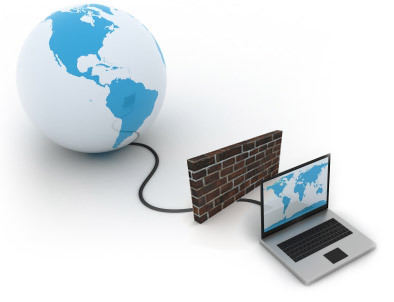
Hardware Firewall: A Hardware Firewall is a physical piece of equipment that sits between the Internet and your computer. An example of a hardware firewall is a broadband router, a common form of Internet connection. The benefit of using a hardware firewall, is that it has the ability to protect multiple computer systems that are connected to it at the same time. This makes it an effective firewall for use in businesses that have multiple computers connected to the Internet, as well as in homes that have more than one computer system.
Software Firewall: Software Firewalls work in the same way as a hardware firewall, by monitoring and blocking information that comes to your computer via the Internet, however software firewalls must be installed as a program on your computer. These software firewalls can either be installed from a computer disk that you have purchased, or downloaded over the Internet. Software firewalls are the most common type of firewall. Programs such as Norton 360, Norton Internet Security, ESET Smart Security, and Kaspersky Internet Security all have a firewall bundled within them.
What a Firewall does: Regardless of what type of firewall you choose to use, having one on your computer is a really good idea. A firewall helps to prevent computer hackers from accessing your computer through the Internet, and stealing sensitive information or infecting your computer system with some form of computer virus. A hacker can gain access to your system by "back doors" or open ports that connect your computer to the Internet. With a firewall in place these ports are blocked from inbound traffic, effectively closing the door in the hackers face.
Of course, damage can also be done to your computer from outbound traffic as well. Say for instance a hacker was able to slip by you with a Trojan, virus, spyware or phishing scheme that went undetected. The next time you booted up your computer and connected to the Internet, information on your computer could be sent out to the hacker. Many firewalls also block outbound traffic that will help prevent this from happening.
There are basically two ways that Firewalls work. Generally, data that comes in is analyzed by the firewall to determine the IP address it is coming from and the content that it contains. The firewall system then checks to see if this information is compliant with rules that you are able to configure. It can also analyze information at the application level. The firewall program will determine whether or not the application should be able to send or receive data through the port you are connected by. Firewall programs are extremely important to the protection of not only your computer system, but you personal information as well. Many anti-virus programs come with firewall protection. Firewall protection should be considered an essential part of any computer's security strategy.


